
Account Security
Manage your account security settings, passwords, and authentication methods to keep your account safe.
Overview
Account Security allows you to protect your Mango9 account with strong passwords and security measures. Regular security updates and monitoring help prevent unauthorized access and keep your communications secure.
Account Security Interface
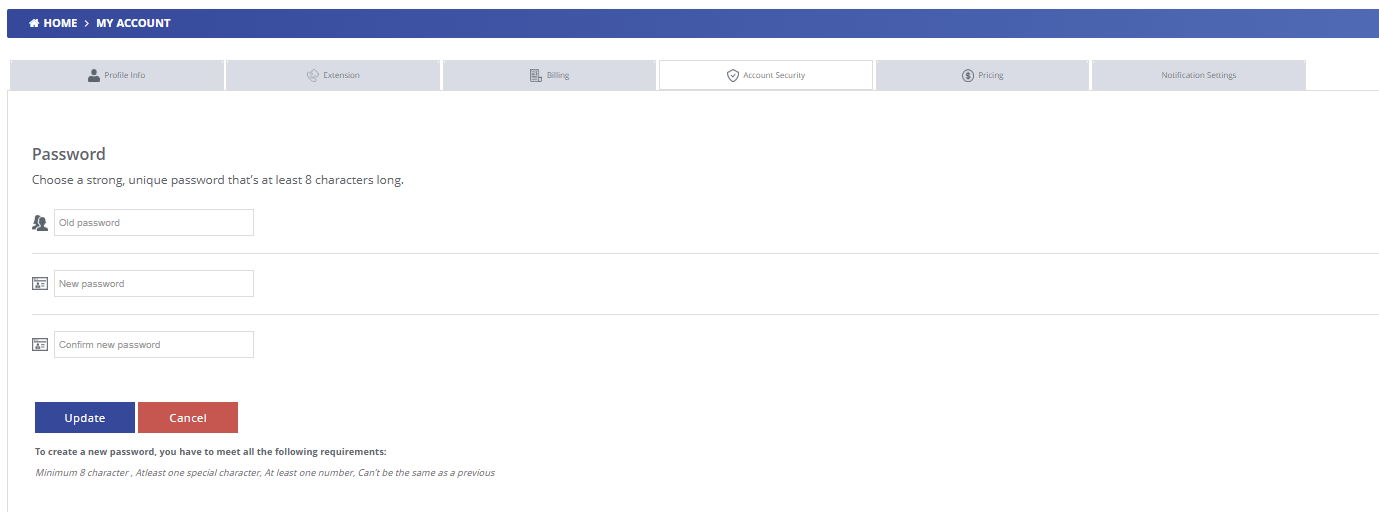
Password Management
Change Password
Choose a strong, unique password that's at least 8 characters long to protect your account.
Enter your current password for verification
Create a new strong password (minimum 8 characters)
Confirm your new password to ensure accuracy
Password Requirements:
- Minimum 8 characters
- At least one special character (!@#$%^&*)
- At least one number (0-9)
- Cannot be the same as a previous password
API Keys & Access Tokens
Manage API keys and access tokens for integrating third-party applications with your Mango9 account.
Generate new API keys for development and production environments
Revoke compromised or unused API keys immediately
Monitor API key usage and activity logs
Rotate keys regularly for enhanced security
Active Sessions
View and manage active login sessions across different devices and locations.
See all devices currently logged into your account
View login locations and timestamps
Terminate suspicious or unrecognized sessions
Log out of all devices except your current session
Security Best Practices
- Use a unique password that you don't use for other services
- Enable two-factor authentication if available
- Change your password regularly, at least every 90 days
- Never share your password or API keys with others
- Review active sessions regularly and terminate unknown devices
- Use a password manager to generate and store strong passwords