
Notification Settings
Configure email notifications and alerts for important system events and activities.
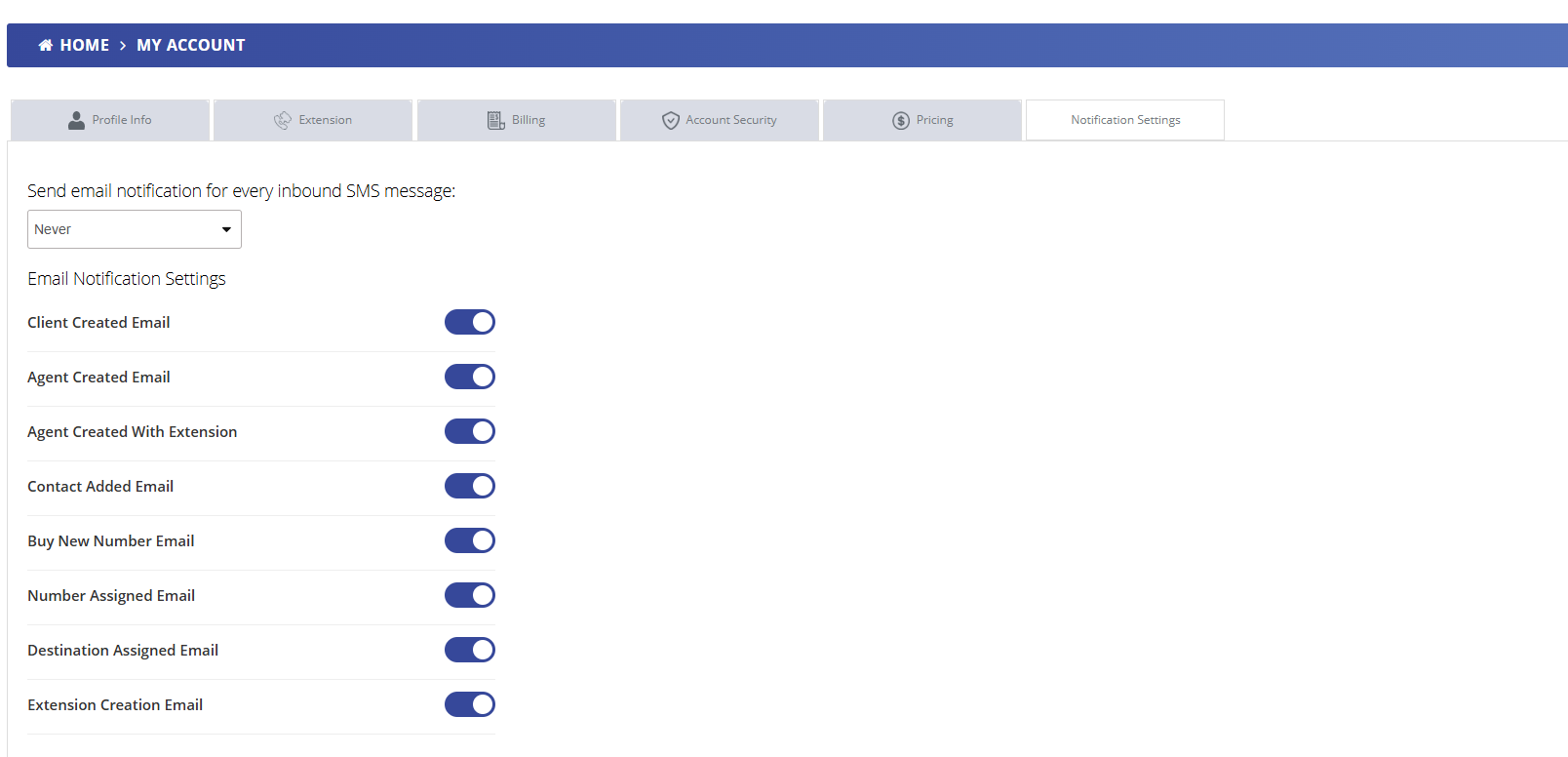
Overview
The Notification Settings page allows you to control which system events trigger email notifications. Stay informed about important activities while reducing notification fatigue by selecting only the alerts most relevant to your role and workflow.
SMS Notification Frequency
Control how often you receive email notifications for inbound SMS messages:
Email Notification Settings
Client Created Email
Notification when a new client/lead is added to the system
Agent Created Email
Alert when a new agent user is created in your account
Agent Created With Extension
Notification when a new agent is created and assigned an extension
Contact Added Email
Alert when a new contact is added to your address book
Buy New Number Email
Notification when a new phone number is purchased
Number Assigned Email
Alert when a number is assigned to a user or destination
Destination Assigned Email
Notification when a call destination is configured
Extension Creation Email
Alert when a new extension is created in the system
Best Practices
- Enable notifications for critical events like number purchases and agent creation
- Use daily digest for SMS notifications if you receive high volumes
- Disable notifications for routine events that don't require immediate attention
- Review your notification settings periodically as your workflow evolves
- Ensure your email address is current to receive all enabled notifications