
Campaign & Billing Settings
What are Campaigns?
The Campaigns feature is a powerful all-in-one solution for managing appointment-based sales with your clients. It combines appointment booking, client billing, and agent commission tracking into a single streamlined platform.
Key Capabilities:
How It Works: Create a campaign with pricing tiers → Add client billing information and connect Stripe → Assign agents for commission tracking → Share the appointment booking link → Accept bookings and process payments automatically → Track agent commissions and campaign performance in real-time
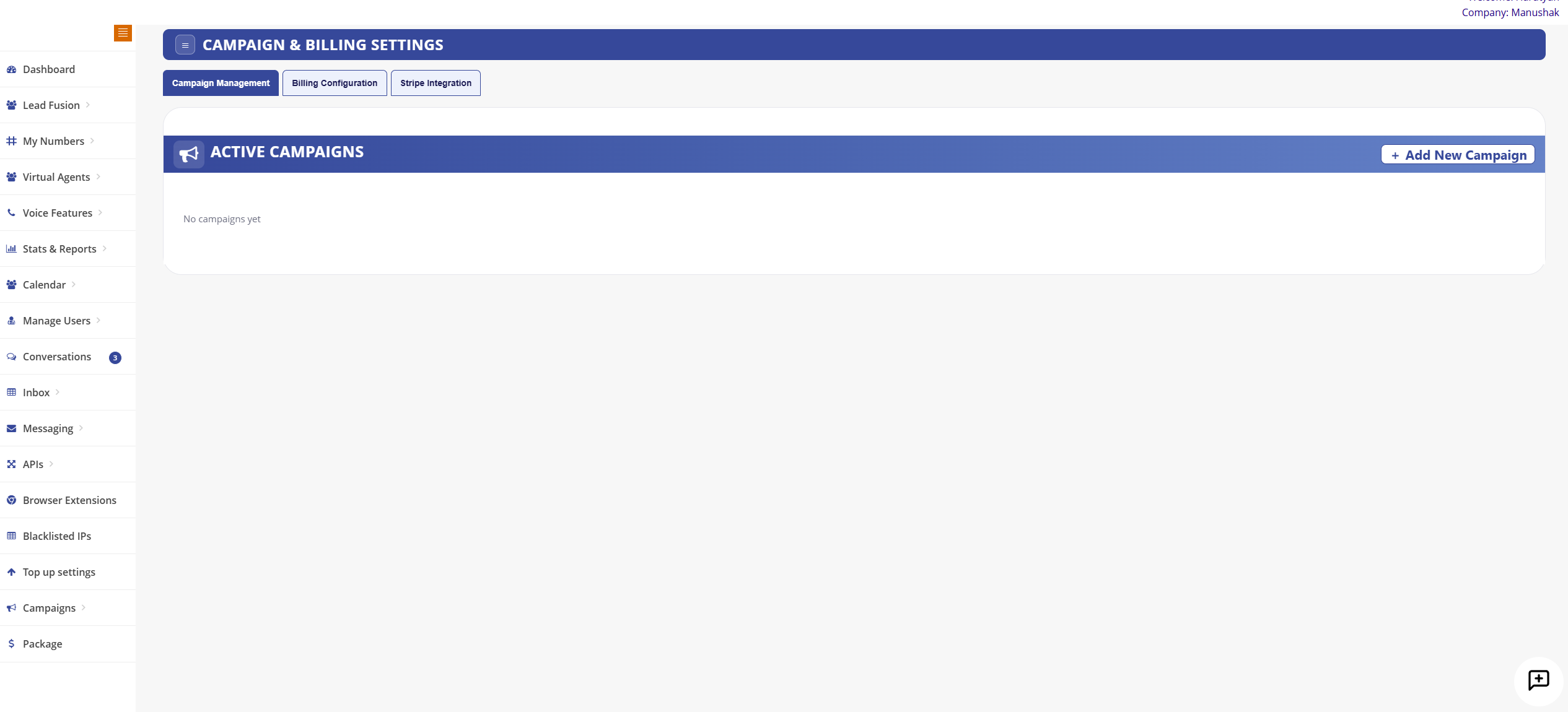
Creating a Campaign
Create comprehensive campaigns for selling appointments with customizable pricing, billing, and agent commission tracking.
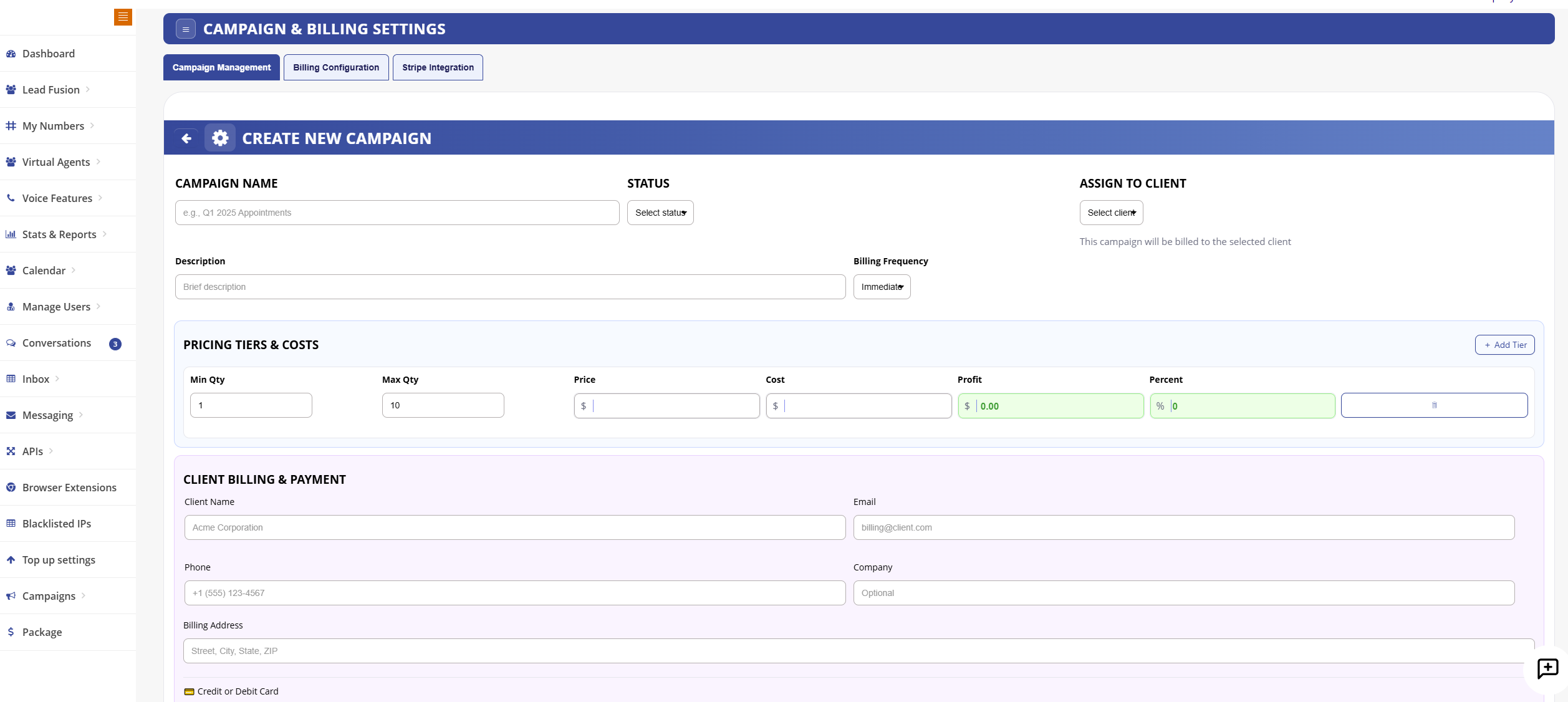
Campaign Management Tabs
Campaign Management
Create, edit, and monitor your voice and SMS campaigns
Billing Configuration
Configure payment methods and billing preferences
Stripe Integration
Connect and manage Stripe payment processing
Pricing Tiers & Costs
Set up flexible pricing tiers with minimum and maximum quantities, pricing, costs, profit margins, and percentages.
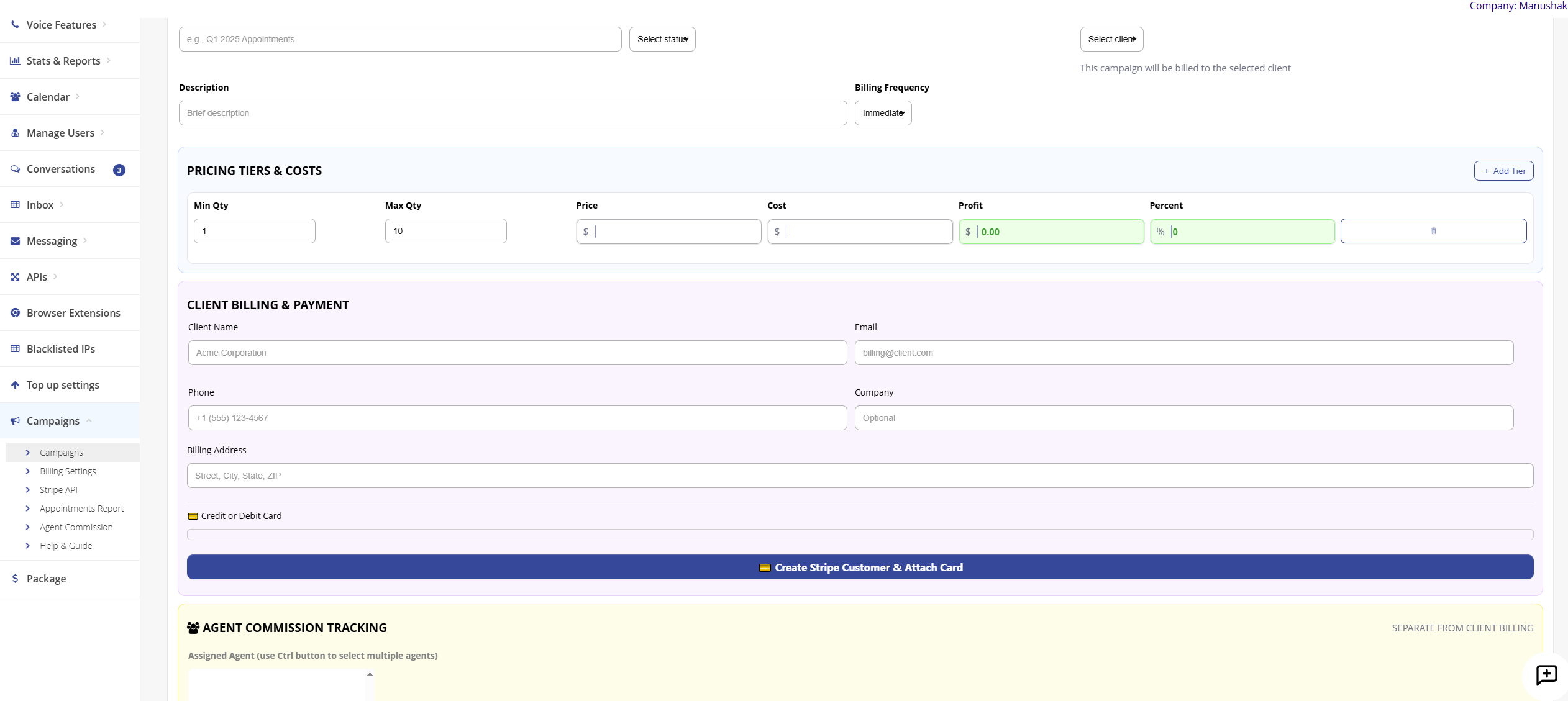
Pricing Configuration:
- Min Qty & Max Qty: Define quantity ranges for each pricing tier
- Price & Cost: Set customer pricing and your internal costs
- Profit & Percent: Automatic profit calculation and percentage display
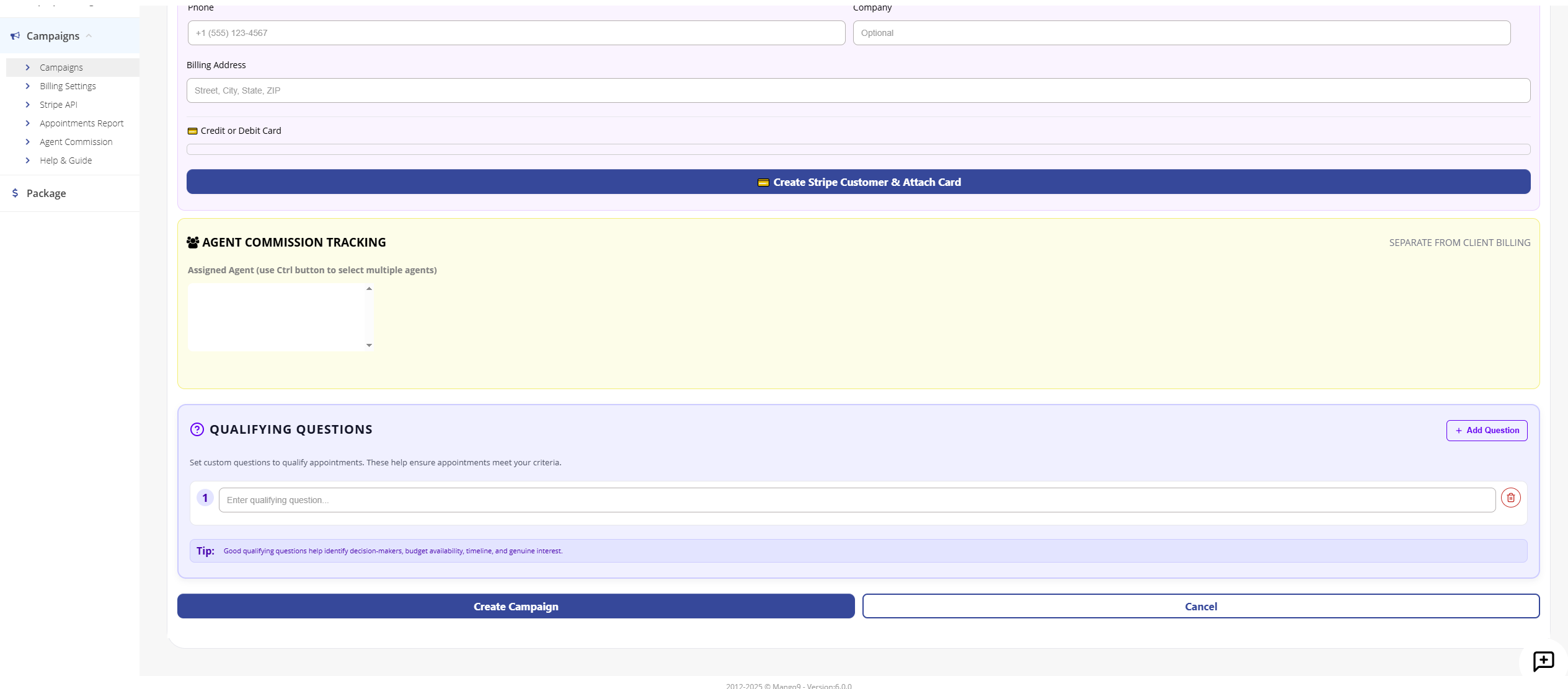
- Client Billing: Enter client name, email, phone, company, and billing address
- Stripe Integration: Create Stripe customers and attach payment cards directly
Agent Commission Tracking
Track and manage agent commissions with detailed reporting and filtering options.
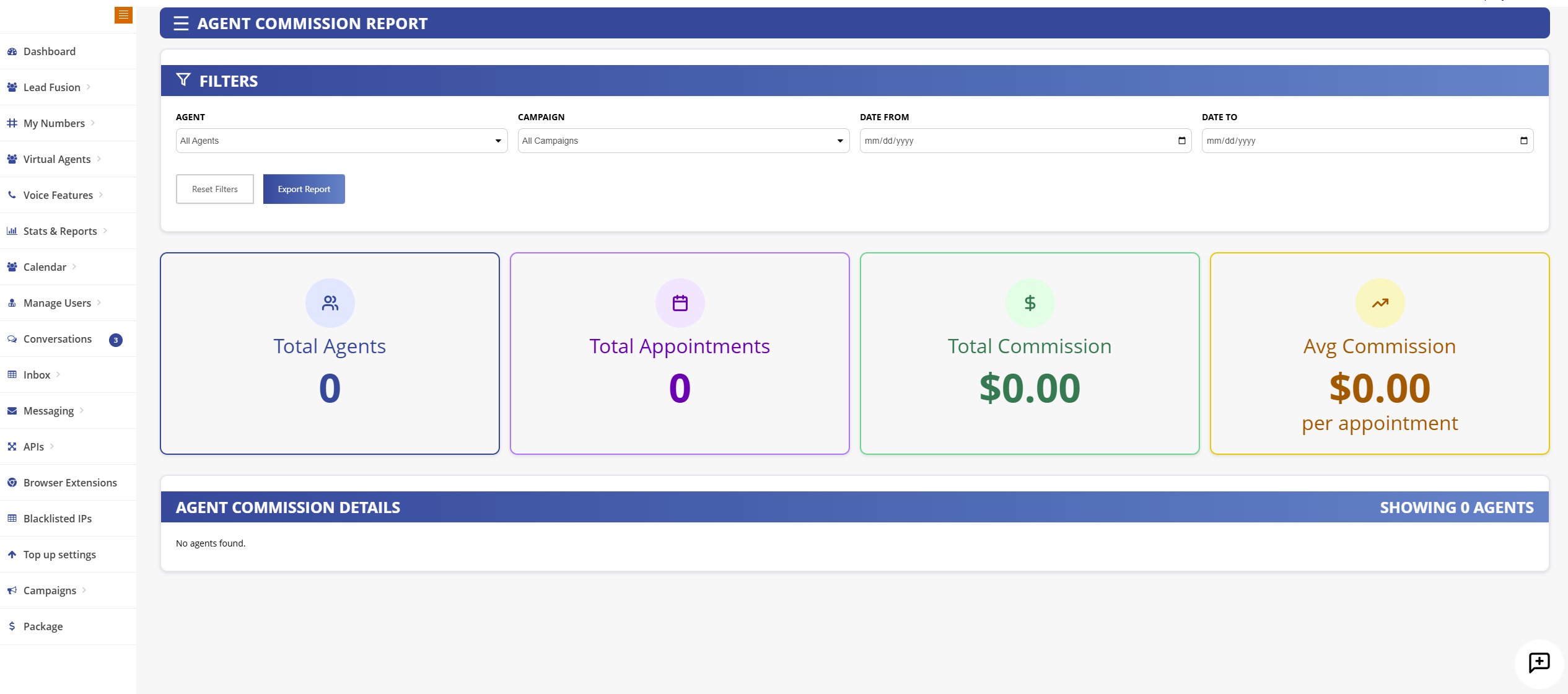
Commission Features:
- Assign agents to campaigns for commission tracking
- Track total agents, appointments, and commissions
- Calculate average commission per appointment
- Filter reports by agent, campaign, and date range
- Export commission reports for payroll processing
- Option to separate agent commission from client billing
Qualifying Questions
Add custom qualifying questions to ensure appointments meet your criteria. Questions help identify decision-makers, budget availability, timeline, and genuine interest.
Lead & Call Routing
Intelligent routing ensures leads and calls are distributed to the right buyers and agents based on your configured rules.
Round Robin
Distribute leads evenly across all active buyers in rotation order
Priority-Based
Route to highest-priority buyers first based on configured weights
Capacity-Based
Respect daily/weekly caps and pause routing when limits are reached
Geographic
Route leads to buyers based on state, region, or zip code matching
Buyer Controls & Caps
Set precise controls for each buyer to manage lead flow, pricing, and quality expectations.
Available Controls:
- Daily Caps: Limit the number of leads a buyer can receive per day
- Weekly Caps: Set weekly volume limits to manage buyer capacity
- Pricing Tiers: Configure different pricing based on lead quality or source
- Pause/Resume: Temporarily stop lead flow to specific buyers
- Geographic Filters: Restrict leads to specific states or regions
- Quality Thresholds: Set minimum quality scores for lead acceptance
- Return Window: Define the timeframe for buyers to dispute or return leads
Campaign Subpages
Explore detailed documentation for each campaign feature:
Call Campaigns
Inbound and outbound call campaign setup with IVR and real-time routing
Distribution Log
Track every lead distribution with timestamps, recipients, and status
Dispute Resolution
Manage lead returns, disputes, and credit processing
Buyer Guide
Complete guide for buyers receiving leads through your campaigns
Lead Routing
Advanced routing rules and buyer prioritization settings
Lead Reports
Comprehensive reporting on lead performance and conversions
Getting Started
Click the Add New Campaign button to create your first campaign. Configure your target audience, message content, and scheduling preferences to maximize engagement.