
Conversations
Unified Inbox
Conversations brings together all customer interactions from calls, SMS, and messages into a single unified view.
Start a New Chat
Initiate SMS or user chat conversations directly from the Conversations interface. Simply add a phone number or select from your contacts to begin.
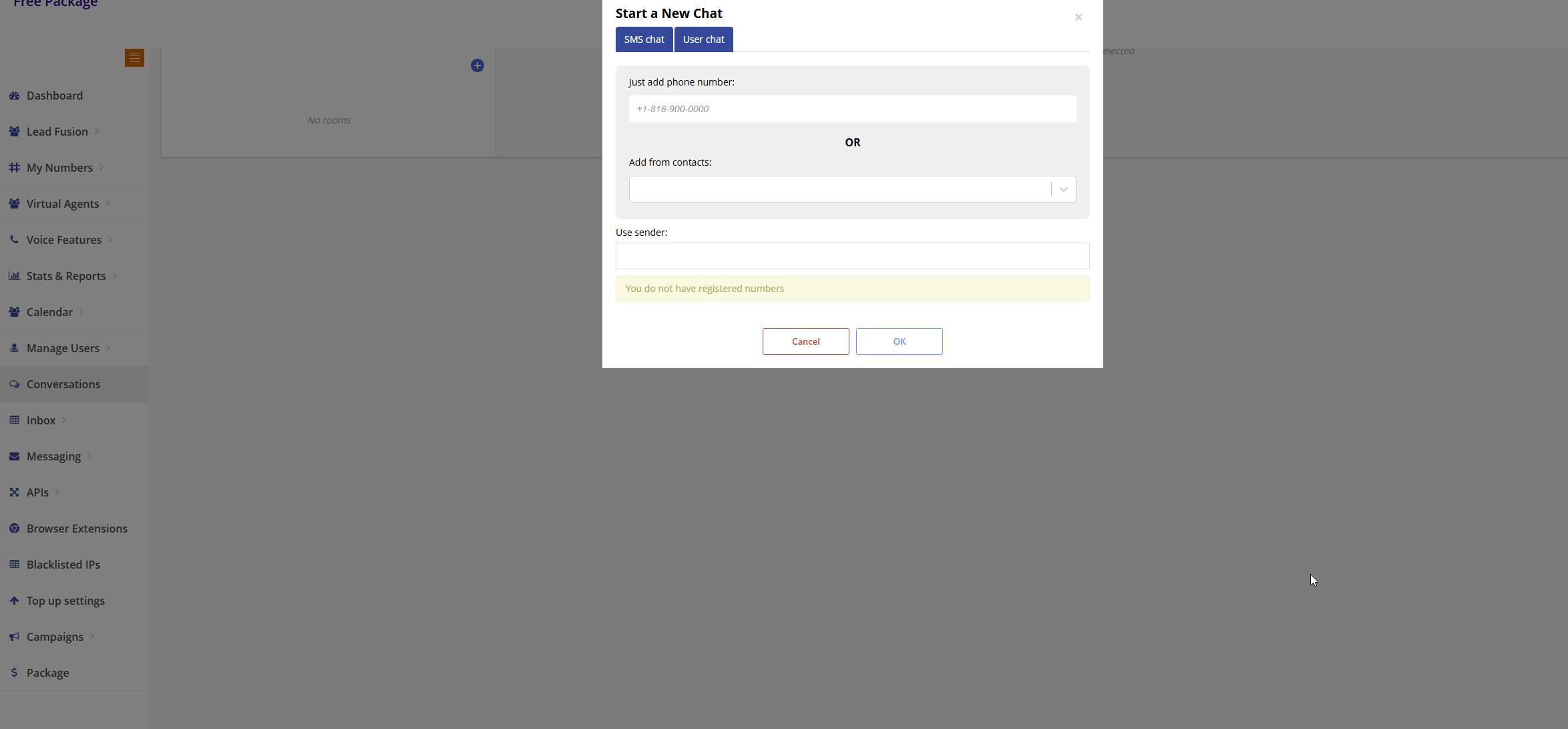
Chat Options:
- SMS Chat: Send SMS messages to any phone number
- User Chat: Internal chat between team members
- Add Phone Number: Enter a phone number in format +1-818-800-0000
- From Contacts: Select from your existing contact list
- Use Sender: Choose which registered number to send from
Features
Multi-channel View
See all communication channels in one place
Conversation History
Access complete conversation history with customers
Quick Responses
Save and use templates for common responses
Team Collaboration
Collaborate with team members on conversations